


Framly - AI Photo Video Maker
3.759.00 Reviews
App Specs
- Version
- 2.3.0
- Updated On
- License
- Free
- Downloads
- 1,000,000+
- Developer
- NXL AI Solutions
- Categories
- Art & Design
- Platform
- Android
Screenshots
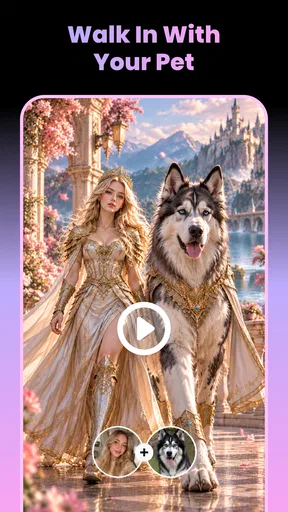

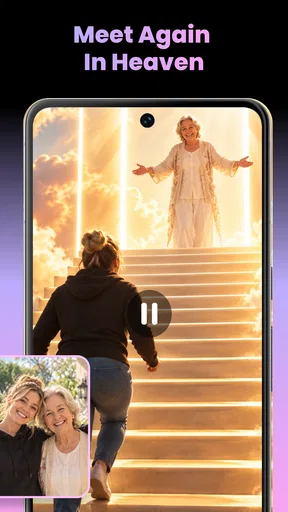
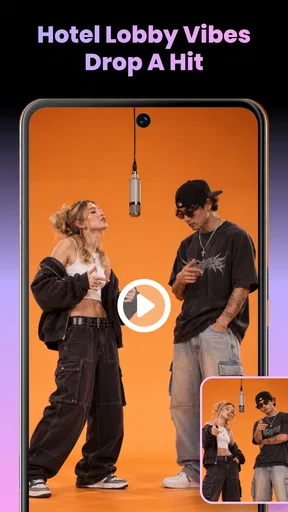
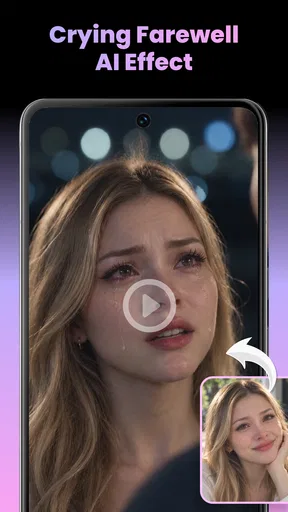
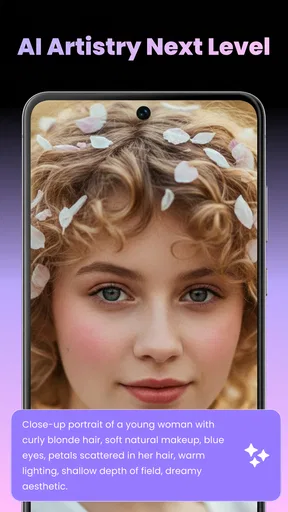
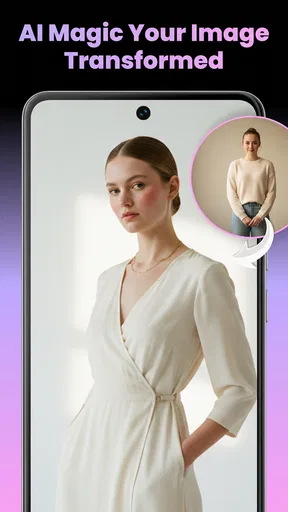
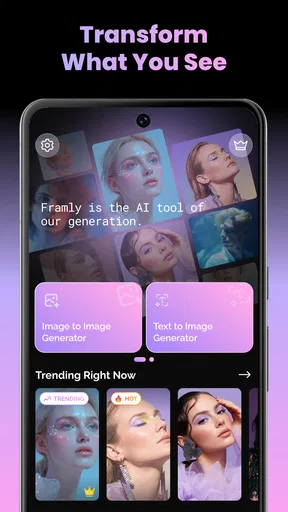
 Analysis by AppCompare
I approach Framly as a quick creative studio for turning a photo or an idea into an AI-made image or video. That focus makes it appealing when I want something more playful than a standard photo filter, but it also means the experience depends on more than artistic taste: a useful connection and a clear idea of what I want to create matter. I would treat it as a tool for experiments and social-ready concepts, not as a replacement for a full editing suite.
Where the connection becomes part of the creative process
I treat a stable connection as part of planning a Framly session, not something to think about only after a generation stalls. Having a source image and a focused creative direction ready can make each connected attempt more purposeful; next, I consider how that approach fits the interruptions and constraints of using a phone throughout the day.
Prompts and images need a little planning
Framly is an art and design app from NXL AI Solutions. Its central appeal is being able to start with text or an image and use AI along with templates to shape the result. In practice, I would expect the most satisfying sessions to happen when I have a specific source photo, a concise prompt, or a template style in mind before I begin. That preparation helps avoid spending time sending vague requests and then trying to rescue an output that was never pointed in the right direction.
Because AI creation involves processing rather than just adjusting a local slider, connectivity is an important part of the workflow. A weak or interrupted connection can make a creation session feel less immediate than browsing ordinary filters. I would start a project when my connection is steady, especially if I am working with a photo I care about or want to compare a few creative directions. I would not build a plan around finishing an AI generation in a place where access is unreliable.
Templates are useful not only as shortcuts but also as a way to narrow the brief. If I am unsure what to write, selecting a visual direction first can give me a more concrete starting point than an open-ended prompt box. The trade-off is that templates can steer results toward familiar looks. For something that needs to feel personal, I would use the template as a first pass, then judge whether the result actually suits the subject instead of accepting it just because it looks polished at a glance.
On a phone, the best use is a focused burst
Framly makes most sense in short mobile sessions: choosing one image, trying a visual treatment, and deciding whether the result is worth keeping. For example, if I have a portrait I want to turn into a more imaginative post, I can pick a suitable template or describe the intended mood, then review the generated image before sharing it elsewhere. That is a more realistic use than expecting the app to handle an entire content workflow from concept to final professional delivery.
For travel or a commute, I would collect ideas and source images first, then do the generation when I have a dependable connection. It is a small change in routine, but it avoids treating every pause in a mobile signal as a creative failure. It also encourages a more deliberate choice of source material: one strong, well-framed photo is often a better starting point than a batch of near-identical shots.
Worth Reading Before You Choose

Baby Panda World Brings Quick Play to Modern Phones, but Its Game Library Feels Busy

ESPN’s Live Game View Makes Following Close Games Easier

QuizzLand Review: A Good Fit for Short Trivia Breaks, Not Every Player

Basketball Stars: Multiplayer Is Fast, but Can It Recover When Matches Go Wrong?

WEBTOON Turns Phone Updates Into a Better Reading Routine

Link to Windows Runs on Shared Habits, Not Social Feeds
The app is free to install and is rated for Everyone. It has an average rating of 3.7 from around 1,500 ratings, with more than 1 million installs. Those figures suggest that many people are giving it a try, while the middling average is a useful reminder to keep expectations measured. AI results can be uneven by nature, and a popular format does not guarantee that every output will match a user's taste.
When a generation stalls, keep the next step simple
If a request appears to hang or an image does not come through, I would first check the connection and avoid immediately submitting the same request repeatedly. Repeating a task can make it harder to tell whether the problem was temporary or whether the prompt and source image need adjusting. I would wait for the current attempt to resolve, then retry once with a shorter prompt or a clearer image if necessary.
This is also where a sensible workflow helps. Before starting, keep the original photo available in your gallery and make a note of the idea you want to test. If an attempt fails, you can return to the same source without having to reconstruct the whole project from memory. When an output is successful, review it at full size before deciding it is ready: AI transformations can look convincing in a small preview while changing details that matter in a face, a hand, or an object.
I would also separate experimentation from final editing. Framly is suited to making a new visual concept, while a conventional image editor is usually the better place to crop precisely, correct small defects, or make careful adjustments. That division keeps a temporary generation issue from derailing the entire task and prevents me from expecting one AI app to do every finishing job.
Use mobile data deliberately
When I am away from Wi-Fi, I would be selective about how many variations I request. AI image and video creation is the kind of activity that can involve sending source material and receiving generated results, so it is worth considering both data use and the sensitivity of the image before beginning. I would avoid casually experimenting with private photos on a public connection and would choose material I am comfortable using for a creative test.
A practical approach is to decide on the intended result before opening a session, rather than creating a long chain of loosely related attempts. One prompt with a clear subject, style, and mood is easier to assess than several vague requests. If the first result is close, refine one aspect at a time; changing the subject, style, and composition all at once makes it difficult to understand what improved or worsened the output.
Framly is free to download, but in-app purchases range from $12.99 to $139.99 per item. I would explore the free experience before spending, and check the specific purchase details shown in the app before committing. The broad price range makes it especially sensible to decide what you need first: occasional creative play may not justify a paid option, while frequent use could make a paid choice worth evaluating on its own terms.
Who will enjoy it, and who should choose another tool?
I would recommend Framly to someone who likes experimenting with AI visuals, wants templates to get past a blank page, and is happy to treat results as drafts or shareable creative variations. It can be a good fit for a casual creator making a themed image, a small business owner testing a visual direction, or a person who wants to see how a familiar photo changes when given a different style.
I would steer away from it if your work depends on exact brand consistency, detailed retouching, predictable typography, or precise control over every part of an image. A conventional design app gives more direct control over layout and manual edits; a dedicated video editor is a better choice when timing, cuts, and a carefully assembled sequence matter most. Framly's appeal is the leap from an input to an AI-generated concept, not the fine-grained control those tools are built around.
The app’s current version is 2.3.0 and it requires Android 8.0 or later. That makes the Android requirement easy to check before installing, while the version number is useful context if an interface or workflow differs from what another user describes. I would still judge the experience on the device and connection I actually use, since mobile performance can feel different between a strong home network and a congested public one.
My connectivity verdict
For me, Framly works best when I approach it as a connected creative session: prepare a good source image, decide on a direction, make a small number of considered attempts, and review the output before treating it as finished. The network is not just background convenience here; it shapes how quickly I can move from idea to result and how comfortable I feel experimenting on mobile data.
My main advice is to use Framly for inspiration and fast visual variations, then switch to a more controlled editor when accuracy matters. Its templates can make starting easier, and text or image inputs leave room for different kinds of experiments, but variable AI results and the need for a steady connection are real trade-offs. If that balance suits you, the free install is a reasonable way to explore it; if you need dependable offline work or precise editing, another kind of app will be a better fit.
Overall, I see Framly as a convenient, approachable option for turning a passing idea into an AI-made visual, provided I do not confuse speed with guaranteed quality. I would keep my first sessions simple, watch how the connection affects the process, and spend only if the app consistently produces results I genuinely want to use.
A practical way to get more from each attempt
For a simple everyday example, imagine I want a profile image with a seasonal feel before posting a weekend announcement. Rather than testing several unrelated effects, I would pick one well-lit portrait, decide whether the mood should feel warm, dramatic, or whimsical, and make that the center of the prompt or template choice. This gives me a useful comparison point: if the result misses, I can change the mood while keeping the source and purpose steady.
That controlled approach matters because generative tools can make unexpected changes as well as stylistic ones. I would check whether the person still looks recognizably like themselves and whether the background or small details remain appropriate for the post. If the face is altered in a way I dislike, I would not keep piling on instructions; I would try a different starting image or a more restrained direction, then move the final crop and any text into a separate editor.
Choosing between AI creation and familiar editing apps
Compared with a standard filter app, Framly is more interesting when I want a new interpretation rather than a predictable color adjustment. The advantage is creative surprise; the cost is reduced control over exactly what changes. A traditional editor is usually faster for a minor exposure fix, a clean crop, or a layout that must stay consistent across several posts. Framly makes more sense when the transformation itself is the point.
It also occupies a different role from a template-based design tool. Those apps tend to be stronger when I already know the layout and need to place text, logos, or multiple elements deliberately. Here, I would use a template to spark an image idea, not assume it will replace a carefully assembled design. For a small business, that distinction is practical: use AI variations to explore a campaign’s visual direction, then build the finished branded asset elsewhere if exact placement and repeatability matter.
For video, I would keep expectations similarly focused. Framly includes AI video creation, which makes it worth exploring when I want an image or text idea to become a more dynamic concept. If the job calls for precise pacing, a sequence of shots, or detailed sound and timeline work, a dedicated video editor remains the more suitable tool. The choice is less about which app is universally better and more about whether I want generative transformation or hands-on assembly.
Before deciding whether to pay
The free install makes it straightforward to see whether the visual style suits me, but I would not treat a single impressive result as proof that a purchase is worthwhile. I would first test a few different kinds of starting material that reflect what I actually plan to make: perhaps a portrait, a simple object, and a short text idea. That gives a more grounded sense of whether the app is useful beyond one lucky prompt.
Since paid items vary widely in price, I would read the in-app purchase screen carefully and compare the offered option with my likely usage. Someone experimenting now and then may be better off staying with the free experience, while a regular creator should decide whether the additional access or capability offered in the app meaningfully changes their workflow. I would make that choice only after seeing how often I return to the tool and whether its outputs need substantial repair elsewhere.
Who should keep looking
I would skip Framly if my priority is dependable production under a deadline, particularly when every face, product detail, or brand element must remain exact. Its generative nature makes it better suited to exploration than to a task where a client expects a repeatable result. People who prefer working without relying on a stable connection should also choose a tool whose offline workflow is clearly suited to that need.
On the other hand, someone who enjoys trying visual ideas on a phone and can accept a little unpredictability may find the balance appealing. Its Everyone content rating makes it broadly approachable, but I would still use ordinary care when choosing personal photographs and reviewing generated images before sharing them. The strongest reason to try it is not that every output will be ready to publish; it is that a few considered experiments may help me discover a direction I would not have thought of on my own.
Framly was released on May 14, 2026, and its 2.3.0 release is the version context I would check when comparing instructions with the app on my device. It is an Android option for devices running version 8.0 or later. The rating and install figures provide a broad sense of its reach, but they do not tell me whether its particular AI style fits my taste, so a short, low-pressure trial remains the best way to decide.
Pros
- Turns still photos into short animated videos with AI effects.
- Offers ready-made templates for quick edits.
- Simple workflow makes it approachable for beginners.
- Useful for creating shareable social media content.
- Supports both photo and video creation in one app.
Cons
- Some effects or templates may require a paid plan.
- AI results can vary depending on the quality of the source photo.
- Processing may take longer for complex effects.
- A stable internet connection may be needed for AI features.
- Generated clips may not offer detailed manual editing controls.
FAQs for Framly - AI Photo Video Maker
What is Framly - AI Photo Video Maker?
Framly is a creative app for turning photos into AI-generated videos and visual effects. Depending on the tools available in the version you install, you can choose a template or effect, add a photo, and let the app process it into an animated result. It is aimed at people who want quick, shareable creations without learning traditional video-editing software.
How do I make a video with Framly?
The usual workflow is to open a creation tool, select a suitable template or effect, and upload a photo from your device. Framly then generates the result, which may take a little time depending on the effect and your connection. Before starting, check that your image is clear and well lit; the app may also ask you to grant access to your photos or camera.
Is Framly free to use, or does it require a subscription?
The app may be available to download without an upfront charge, but that does not necessarily mean every feature or generation is free. AI effects can be limited by credits, daily allowances, or a paid subscription, and pricing can vary by region or change over time. Review the current in-app purchase details and renewal terms before starting a trial or subscribing.
Does Framly protect the photos I upload?
To create an AI result, Framly may need to process the selected image through its own systems or third-party services, so avoid uploading sensitive photos unless you are comfortable with the app’s data practices. Check its privacy policy for information about storage, deletion, and sharing, and review the permissions it requests. You can also limit access by choosing only the photos needed for a creation.
Can I share or save Framly videos, and what should I know about the results?
Generated creations may be saved to your device or shared through supported apps, although available export options can depend on the feature, account, or subscription. Check the finished video before posting: AI effects can alter faces or details and may not always look exactly as expected. Also review any watermark, resolution, or usage restrictions shown in the app before sharing publicly.


